Connect GitHub to Pullwise
Connect GitHub repositories to Pullwise with a fine-grained access token and a pull request webhook signed with your secret, step by step.
Works with github.com and GitHub Enterprise Server. GitHub calls them pull requests. Pullwise treats them exactly like merge requests.
1. Create an access token in GitHub
Create a fine-grained personal access token, ideally on a bot account (a “machine user”) that’s a member of your organisation. Reviews are posted as that account.
-
In GitHub, go to Settings → Developer settings → Personal access tokens → Fine-grained tokens → Generate new token.
-
Resource owner: your organisation.
-
Repository access: All repositories, or Only select repositories for the ones you want reviewed.
-
Repository permissions:
Permission Access Contents Read-only Pull requests Read and write Metadata Read-only (added automatically) -
Set an expiration and select Generate token. Copy it straight away. Fine-grained tokens start with
github_pat_.
2. Save it in Pullwise
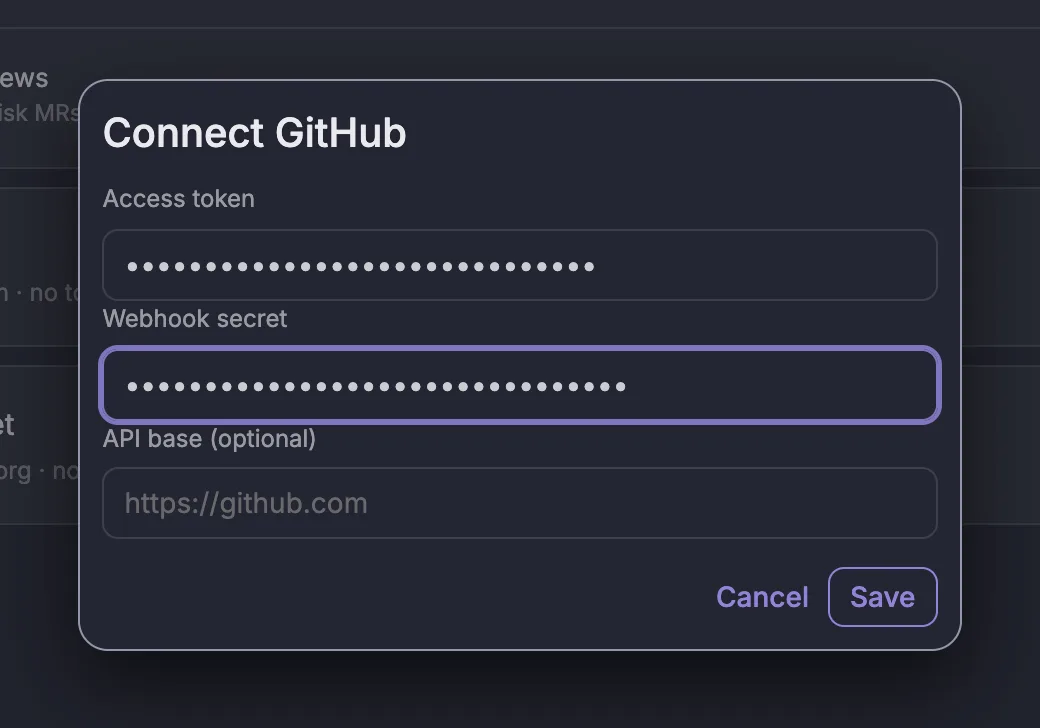
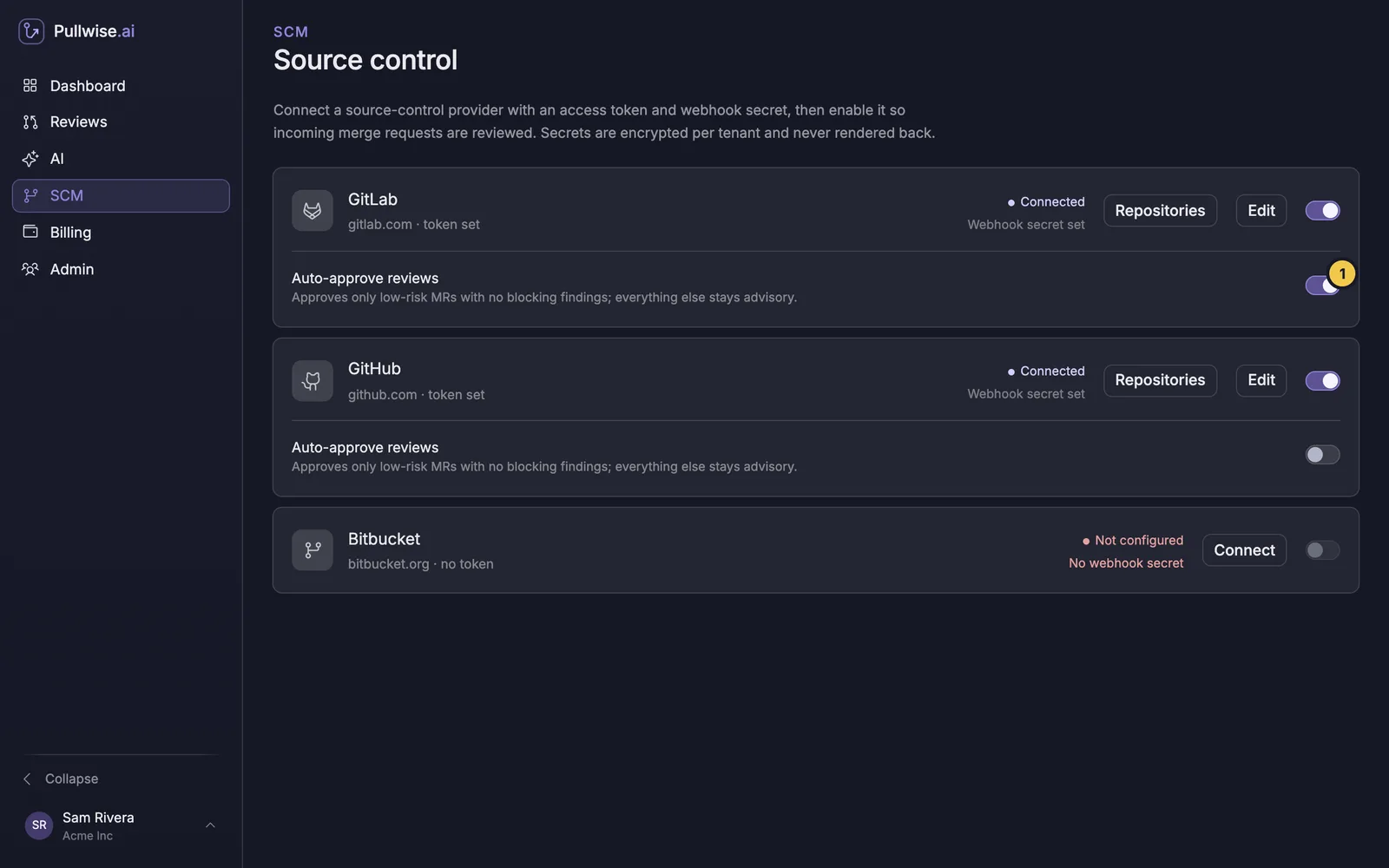
- Open SCM and select Connect on the GitHub card.
- Paste the Access token.
- Paste your Webhook secret. GitHub webhooks are rejected without one.
- GitHub Enterprise Server only: set API base to your server’s API URL, for example
https://github.example.com/api/v3. Leave it blank for github.com. - Select Save, then switch GitHub on.
3. Add the webhook in GitHub
Type your workspace subdomain to fill in the URL:
https://your-subdomain.pullwise.ai/v1/webhooks/githubIn the repository, go to Settings → Webhooks → Add webhook. To cover every repository at once, add it in your organisation’s settings instead.
- Payload URL (1): your webhook URL from above.
- Content type:
application/json. - Secret (2): your webhook secret.
- Which events (3): choose Let me select individual events, tick Pull requests, and untick Pushes.
- Leave Active ticked and select Add webhook.
4. Test it
GitHub sends a ping event as soon as you save. Open the webhook’s Recent deliveries tab.
What triggers a review
A pull request being opened, reopened or synchronized (new commits pushed). Other pull request actions, such as labels and review requests, are ignored.
If something goes wrong
Open Recent deliveries on the webhook, select a delivery, and check the Response tab.
| Response | Cause | Fix |
|---|---|---|
401 |
The secret doesn’t match, so the signature check failed | Re-enter the same secret in GitHub and Pullwise. |
404 |
Wrong workspace subdomain in the URL | Check the Payload URL. |
201 with ignored |
Not a pull request event, or GitHub is switched off in Pullwise | Tick Pull requests and check the card says Connected. |
| The comment isn’t posted | The token lacks Pull requests: Read and write, or can’t see the repository | Edit the token’s permissions and repository access. |
| Content type errors | The webhook sends application/x-www-form-urlencoded |
Change Content type to application/json. |
More fixes in troubleshooting.
Next
Stuck? Ask the assistant, check troubleshooting or contact support.