Connect Bitbucket to Pullwise
Connect Bitbucket Cloud repositories to Pullwise with an access token and a pull request webhook protected by a secret, step by step.
Works with Bitbucket Cloud (bitbucket.org).
1. Create an access token in Bitbucket
Create a workspace access token to cover every repository in your Bitbucket workspace, or a repository access token for just one.
- Workspace: Workspace settings → Security → Access tokens → Create access token.
- Repository: Repository settings → Security → Access tokens → Create access token.
Give it these scopes:
| Scope | Access |
|---|---|
| Repositories | Read |
| Pull requests | Write (includes read) |
Select Create and copy the token. Bitbucket shows it only once.
2. Save it in Pullwise
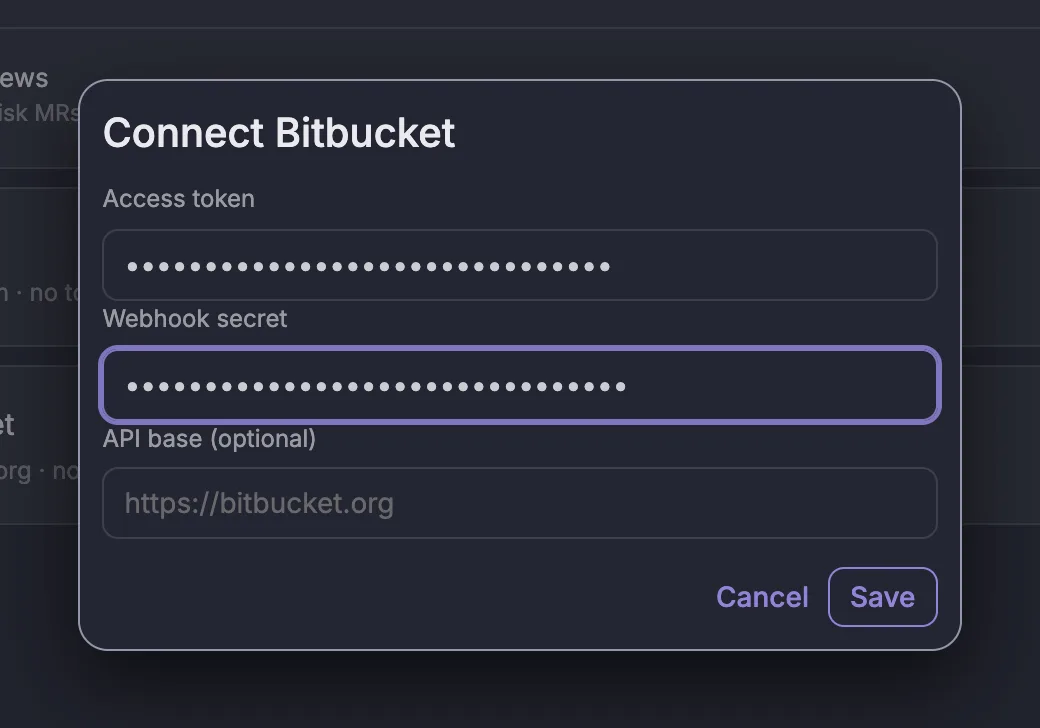
- Open SCM and select Connect on the Bitbucket card.
- Paste the Access token.
- Paste your Webhook secret.
- Leave API base blank.
- Select Save, then switch Bitbucket on.
3. Add the webhook in Bitbucket
Type your workspace subdomain to fill in the URL:
https://your-subdomain.pullwise.ai/v1/webhooks/bitbucketIn the repository, go to Repository settings → Webhooks → Add webhook:
- Title:
Pullwise. - URL (1): your webhook URL from above.
- Secret (2): your webhook secret.
- Triggers (3): choose Choose from a full list of triggers, then under Pull Request tick Created and Updated. Untick Repository push.
- Select Save.
Bitbucket webhooks are set per repository, so repeat this for each repository you want reviewed.
4. Test it
Open or update a pull request, then select View requests on the webhook.
What triggers a review
A pull request being created or updated with new commits.
If something goes wrong
| Response or symptom | Cause | Fix |
|---|---|---|
401 |
The secret doesn’t match | Re-enter the same secret in Bitbucket and Pullwise. |
404 |
Wrong workspace subdomain in the URL | Check the URL. |
201 with ignored |
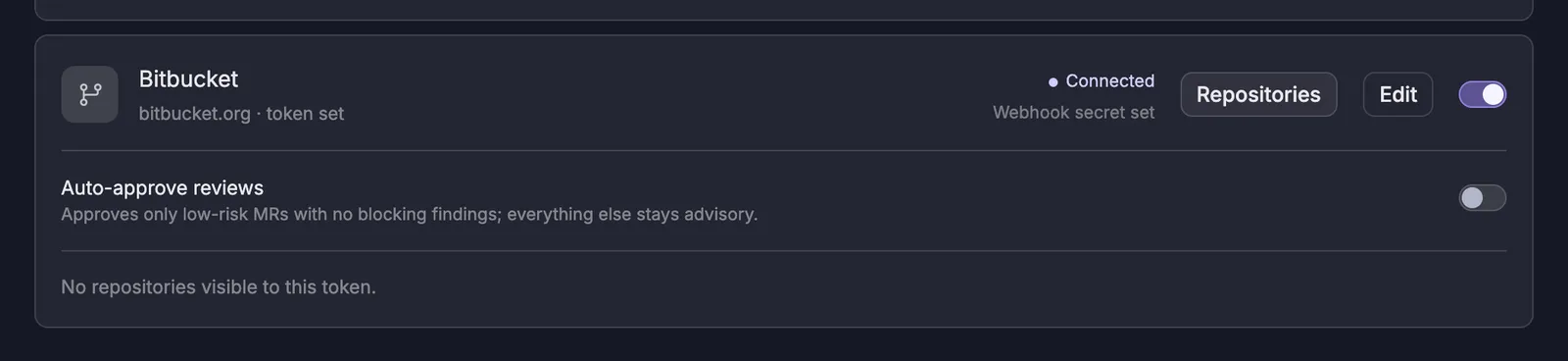
Wrong trigger, or Bitbucket is switched off in Pullwise | Tick Pull Request Created and Updated, and check the card says Connected. |
| No repositories visible to this token | The token can’t see any repositories | Use a workspace token, or create the token in the right repository. |
More fixes in troubleshooting.
Next
Stuck? Ask the assistant, check troubleshooting or contact support.