Choose which repositories Pullwise reviews
Decide which projects and repositories Pullwise reviews, roll out gradually, check the repository list, pause reviews and rotate tokens safely.
Pullwise reviews a repository when both of these are true:
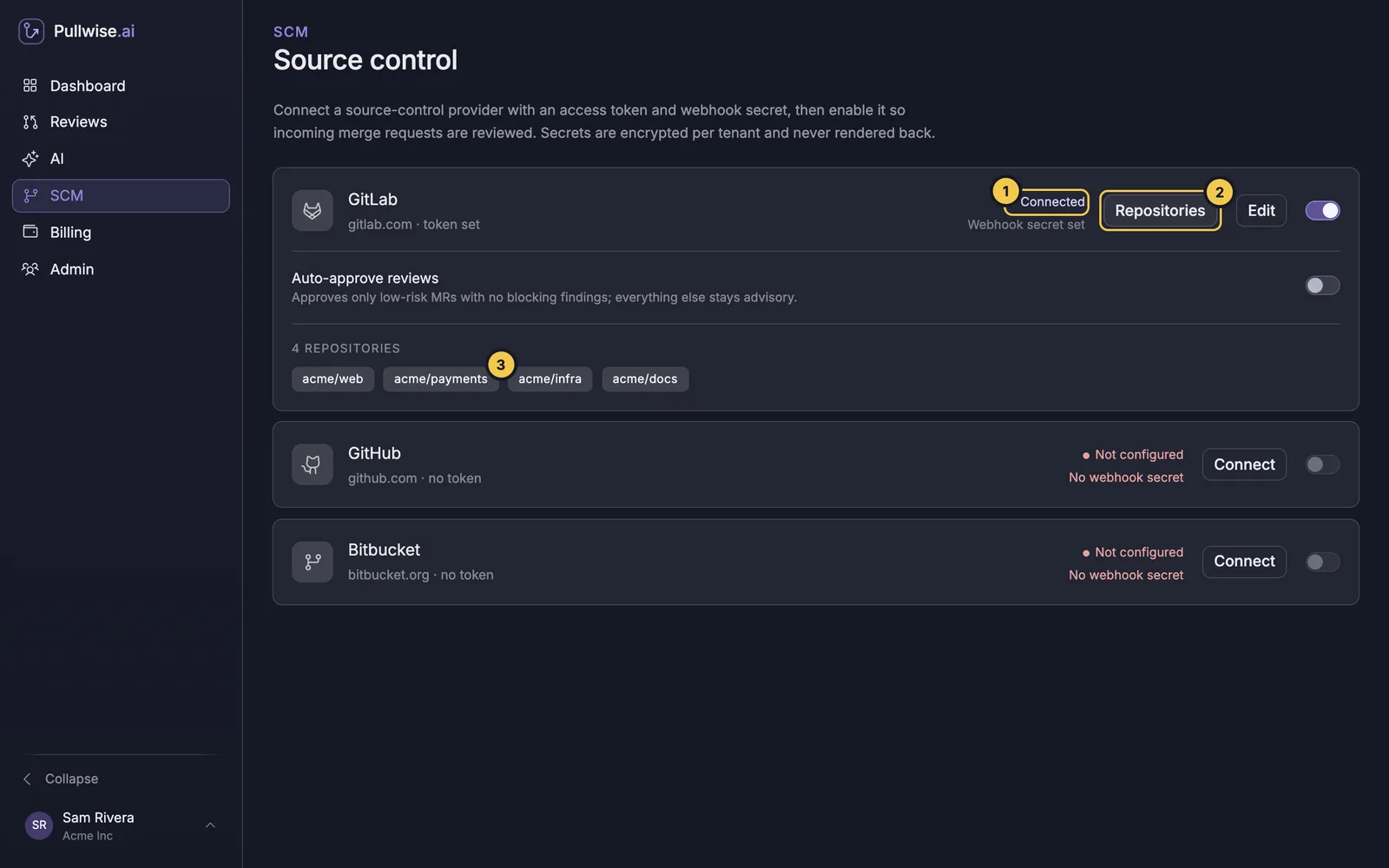
- The token can see it. The Repositories list on the platform’s card shows exactly which ones.
- It has the Pullwise webhook, directly or through its group or organisation.
There’s no separate project list to manage: the webhook is how you choose.
Check what the token can see
On the SCM screen, select Repositories on a connected platform’s card.
| You see | What it means | What to do |
|---|---|---|
| A list of repositories | These are reachable | Add the webhook to the ones you want reviewed. |
| No repositories visible to this token. | The token’s scope is too narrow | Give it access, or use a group, organisation or workspace token. |
| Couldn’t list repositories | The token expired, was revoked or lacks permissions | Create a new token and save it with Edit. |
| A repository is missing | It’s outside the token’s scope | Widen the token’s access. |
Roll out gradually
A gradual rollout lets your team get used to the reviews before they’re everywhere.
- Pilot. Add the webhook to one or two active repositories whose team wants to try Pullwise.
- Watch a week of reviews in Reviews. Ask the team whether the findings are useful, and adjust the model if needed.
- Expand. Add the webhook at group level (GitLab), organisation level (GitHub) or to each repository (Bitbucket).
Pause or stop reviews
| To stop reviews for | Do this |
|---|---|
| One repository | Disable or delete its webhook in your platform. |
| A whole platform | Switch the platform off on its SCM card. Webhooks still arrive, but Pullwise ignores them. |
| Everything | Switch off every platform. |
Your review history stays in Reviews either way.
Rotate tokens and secrets
Tokens expire, and people leave. To replace a token without missing reviews:
- Create the new token in your platform with the same permissions.
- In SCM, select Edit on the card, paste the new Access token, and leave Webhook secret blank to keep it.
- Select Save, then check Repositories still lists your repositories.
- Revoke the old token in your platform.
To change the webhook secret, update it in Pullwise and in every webhook for that platform at the same time. Deliveries fail with 401 until both match.
Next
Stuck? Ask the assistant, check troubleshooting or contact support.